Shred the Secrets Controls: PC & Mobile Keys, Saving (2026)
Every Shred the Secrets control on one page: PC keybinds, mobile touch controls, camera sensitivity and whether your progress saves — answered with official sources.
Last updated: 2026-09-08
Quick answer
Shred the Secrets uses Roblox's standard control scheme plus a few in-game interaction prompts — and since the [SAVING] update (2026-08-02), solo runs save automatically. On PC you move with WASD, jump with Space, and act with three keys the game's own prompts point at: E to grab documents and paper balls, F to crank a shredder's handle, and right-click to throw scraps into the recycling bin; anything you hold (broom, crowbar, Handheld Shredder) activates with left-click. On mobile you get Roblox's standard touch UI — thumbstick, jump button and prompts that turn into tappable buttons — and camera sensitivity is a Roblox client setting, not an in-game option. Saving: the official game description states solo runs now save; there is no manual save button, and what exactly persists beyond that one sentence is undocumented — details below. For the full grab-shred-recycle loop, see the how to play guide.
PC controls
| Key | Action | Source |
|---|---|---|
| W A S D | Move | Roblox default |
| Space | Jump | Roblox default |
| E | Interact — grab documents, paper balls and items; the on-screen prompt names the action (e.g. "Grab a document") | In-game prompt (video: ItsChalls, ?t=24) |
| F | Crank the shredder handle to recharge its power bar | In-game prompt (video: ItsChalls, ?t=35) |
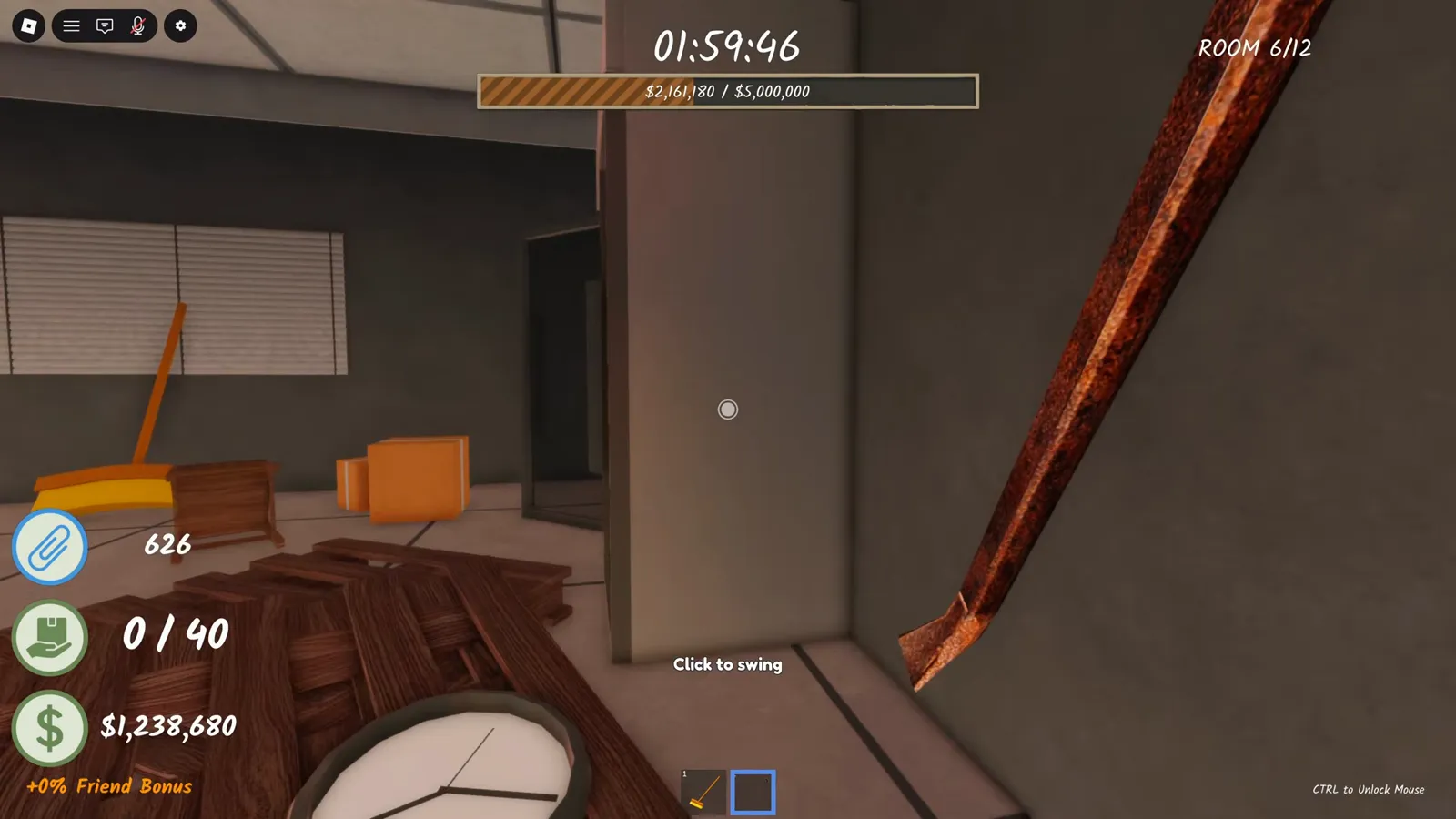
| Left mouse button | Use the held tool — "Click to swing" the crowbar, "Click to shred" with the Handheld Shredder | In-game prompt (video: InterndotBlox, ?t=764) |
| Right mouse button | Throw the paper ball you are carrying into the recycling bin | In-game prompt (video: ItsChalls, ?t=46) |
| 1–0 keys / mouse wheel | Roblox tool hotbar — switch between broom, crowbar and the Handheld Shredder | Roblox default |
| Right-drag / scroll | Rotate and zoom the camera | Roblox default |
| Esc | Opens the Roblox menu — where the client's Settings (camera sensitivity, graphics) live | Roblox default |
Mobile controls
Shred the Secrets is playable through the Roblox mobile app with the standard Roblox touch controls — the developer publishes no separate mobile control scheme. That means a dynamic thumbstick (bottom-left) to move, a jump button (bottom-right), dragging on the right half of the screen to swing the camera, and, when you stand near a document, shredder or bin, the same prompt PC players see renders as a tappable button — that is how Roblox turns every E-type prompt into touch. We have not recorded a dedicated mobile capture ourselves, so treat exact button placement as Roblox defaults that shift slightly by device. Camera sensitivity is not an in-game setting: it lives in the Roblox client (menu → Settings → Camera Sensitivity) and applies to every Roblox game, this one included.
Reading the HUD
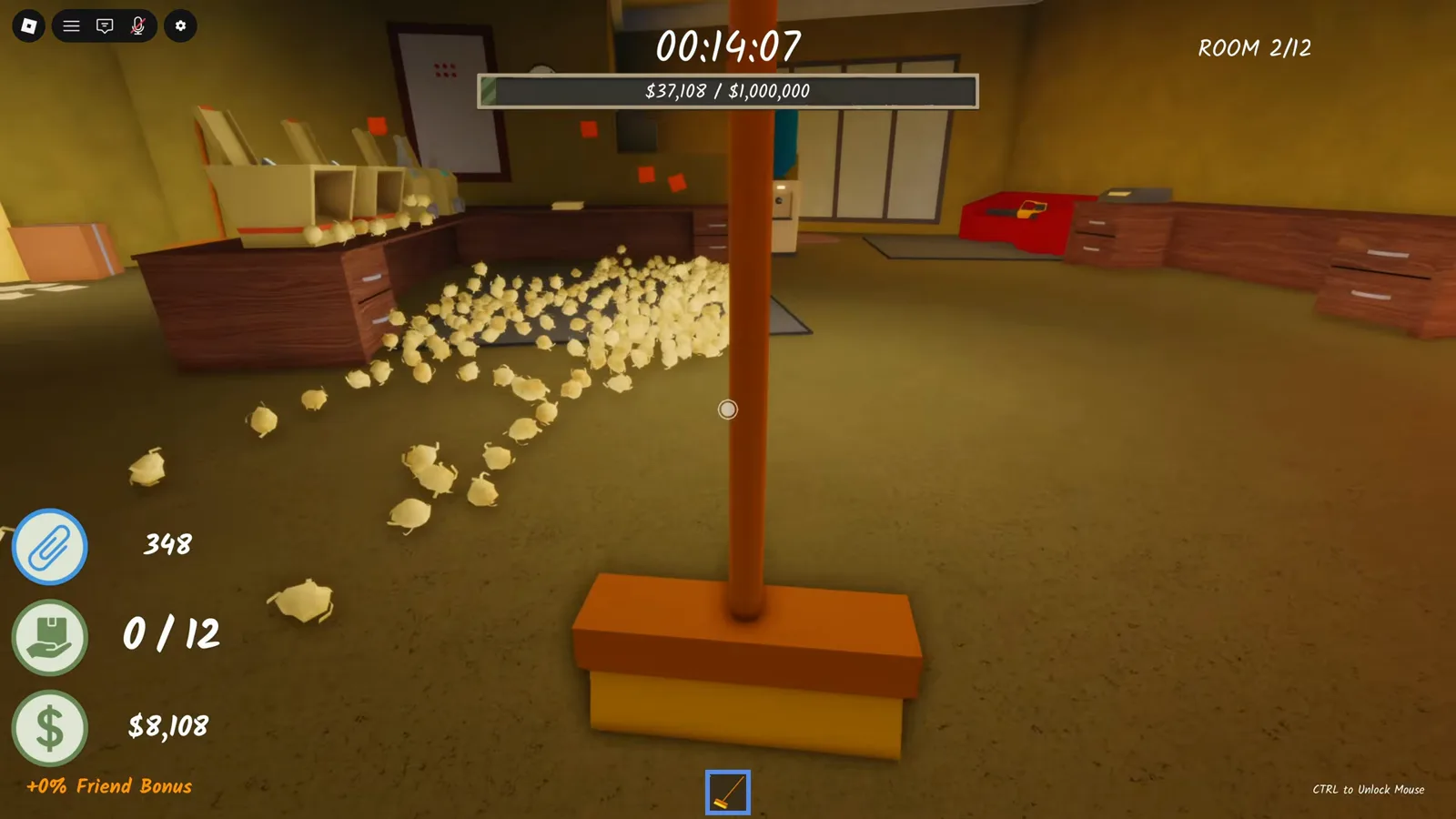
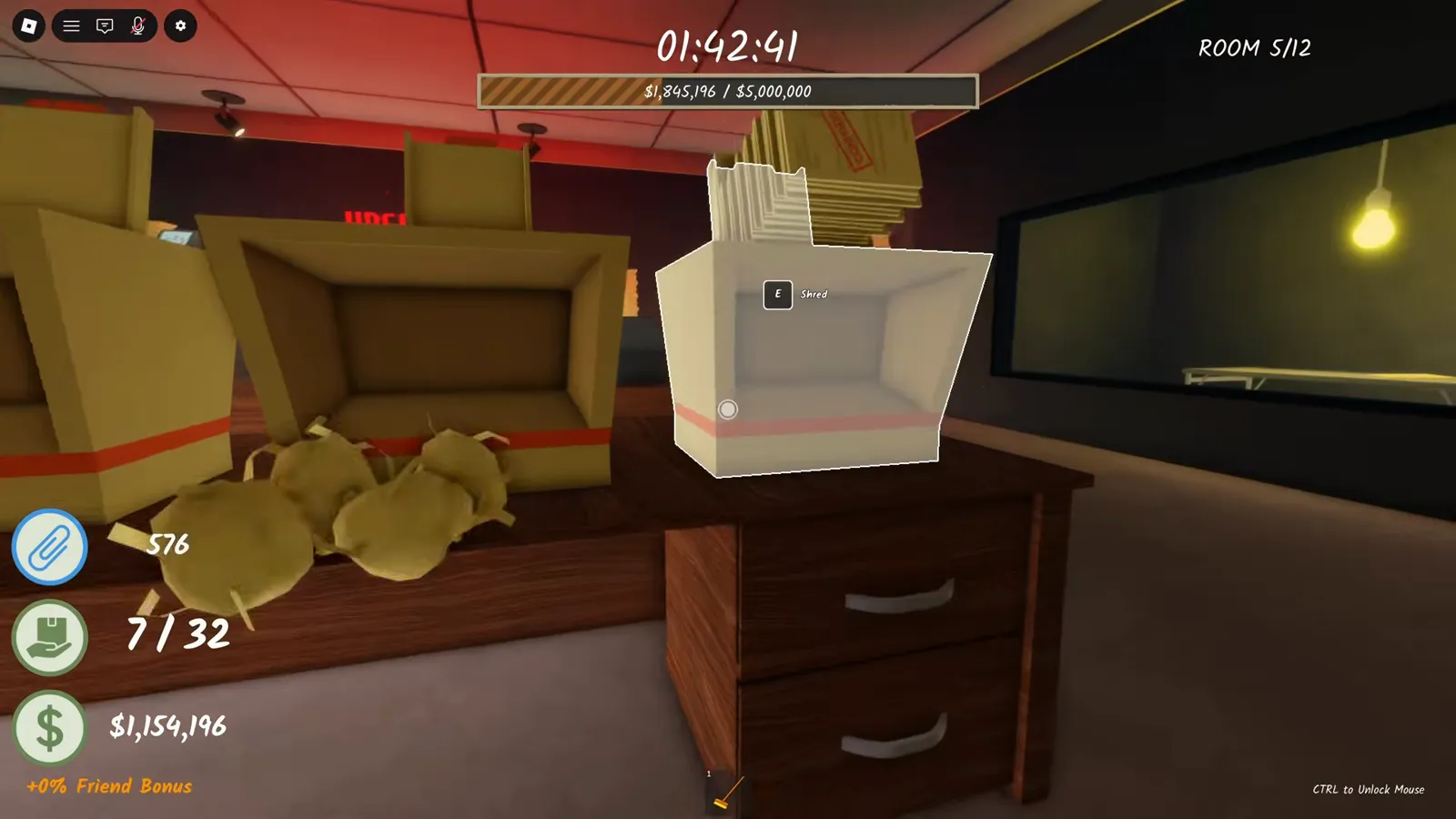
Four counters sit in the bottom-left corner of the screen and they are the same ones on PC and mobile: a paperclip icon with your Paperclip count (the currency for classes — see the paperclips page), a hand icon showing how many sheets you carry out of your current capacity (0/12 early on; the $6,000 Carry upgrade and later rooms raise it), a cash amount for the current room, and an orange Friend Bonus line when friends are on the server. The bar across the top is the room's money goal and the top-right corner tracks the room number. None of these are clickable — they are read-only.
Does Shred the Secrets save your progress?
Yes for solo runs — per the developer's own listing. The official Roblox description states that solo runs now save, a change first communicated with the [SAVING] update on 2026-08-02 and still present in the listing when we re-checked on 2026-09-08 (tracked on our updates page). There is no manual save button anywhere in the menus — the save is automatic. What exactly persists is undocumented: the official text is one sentence, and beyond it the details are UNKNOWN. One recorded data point (community evidence, August 2026): after reloading a saved run, the player kept their room progress and about $1.15M of room money — but the Golden Shredder pickup from the earlier session was gone. Co-op is not covered by the official text at all; whether multiplayer progress persists is UNKNOWN. Log your solo runs in the run tracker.
Controls, mobile & saving FAQ
You don't have to do anything — since the [SAVING] update (2026-08-02) the official game description states that solo runs save automatically, and there is no save button in any menu. What exactly persists is undocumented beyond that one official sentence (see the saving section above).
For solo runs, officially yes — the developer's own description says solo runs now save, and a recorded reload shows room progress and money kept after restarting the session. Co-op/multiplayer saving is not mentioned in the official text and remains UNKNOWN.
Yes, through the Roblox mobile app with the standard touch controls — thumbstick to move, jump button, and prompts that appear as tappable buttons near objects. The developer publishes no separate mobile control scheme, so button details follow Roblox defaults per device (see the mobile section above).
Through Roblox, not the game: open the Roblox menu (Esc on PC, the Roblox icon on mobile), go to Settings and adjust the Camera Sensitivity slider. Shred the Secrets has no in-game sensitivity setting — the change applies to all Roblox games.
Roblox defaults plus three interaction keys: WASD to move, Space to jump, E to grab documents and scraps, F to crank the shredder, right-click to throw scraps into the recycling bin, and left-click to use the held tool (broom, crowbar, Handheld Shredder). The full table with sources is at the top of this page.
Related pages
How to Play Guide
GuideThe full grab → shred → crank → recycle loop, upgrade order and beginner mistakes — at /guides/how-to-play.
Run Tracker
ToolSaving means you can split long solo runs into sessions — plan rooms and collectibles in the run tracker.
Game Passes
DataAll 7 passes with API-verified prices and which are worth buying — /game-passes.
Sources & data notes
Keybinds come from two kinds of evidence: Roblox's default control scheme (movement, camera, hotbar, Esc menu) and in-game prompts read in footage — the E/F/right-click tutorial prompts from ItsChalls, Shred The Secrets - Full Game Walkthrough + Ending (July 2026, ?t=24/?t=35/?t=46), and tool prompts ("Click to swing", "Click to shred") from InterndotBlox, I Shredded EVERY Paper in Roblox Shred the Secrets (August 2026, ?t=764/?t=1821); the screenshots on this page come from that recording plus Clout Brothers, FULL GUIDE (July 2026, ?t=224). The saving answer anchors on the official Roblox game description ("solo runs now save", [SAVING] update 2026-08-02, re-checked 2026-09-08 via our updates page); the reload anecdote is single-video community evidence and labelled as such. Mobile and sensitivity behavior describes Roblox's standard client, not game-specific features.